FleetVision Module
Execution management for your dispatched loads, informed by real-time visibility.

Improve the Visibility of Your Shipments. Improve Your Performance.

Manage the execution of your trips in real-time by joining tracking data, from on-board GPS and Tramm Mobile, with planned data from our Route Optimization & Planning module.

Use live predictive ETAs and customizable, instant alerting to give managers, expeditors, and customers real-time visibility of all shipments.

Enable better performance via dashboards with learned insights and deep data analytics on dwell times, travel times, driver performance, vehicle utilization, and more.
Elevated Decision-Making, Informed by Real-Time Visibility
Manage performance at a deeper level, leveraging the difference between planned versus actual execution to make every decision strategic.
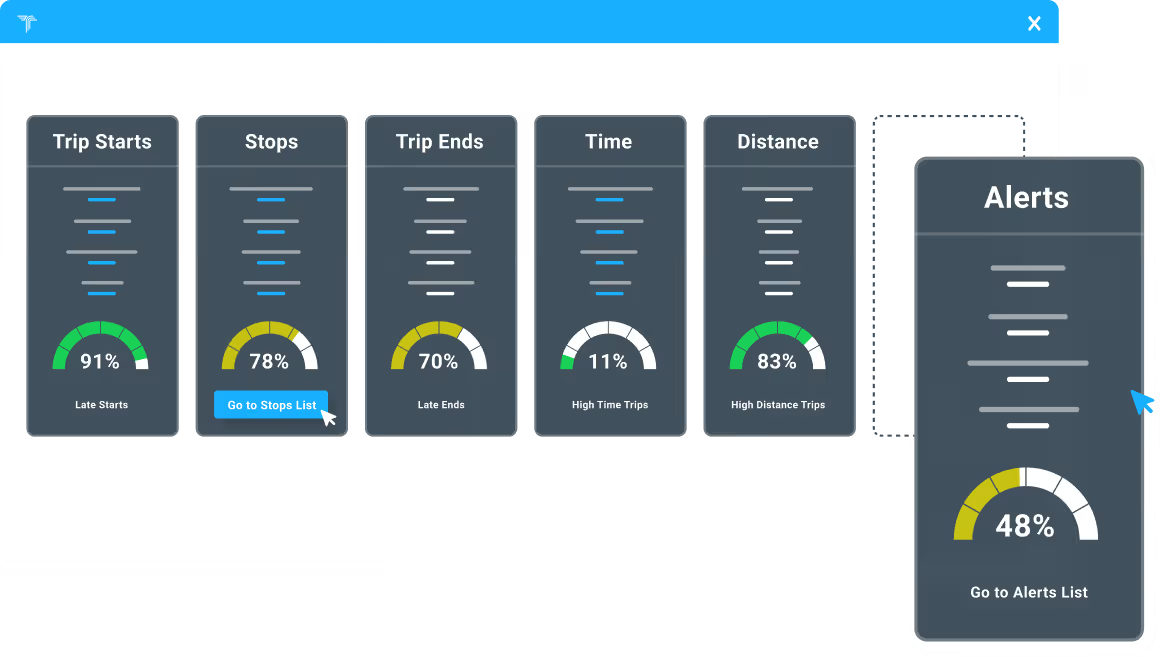
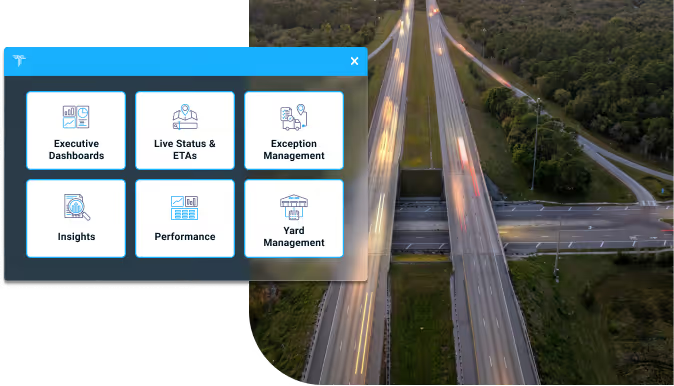
Executive Dashboards
Whether executives, planners, or customers, give your users insights on the metrics they care most about through customizable dashboards.
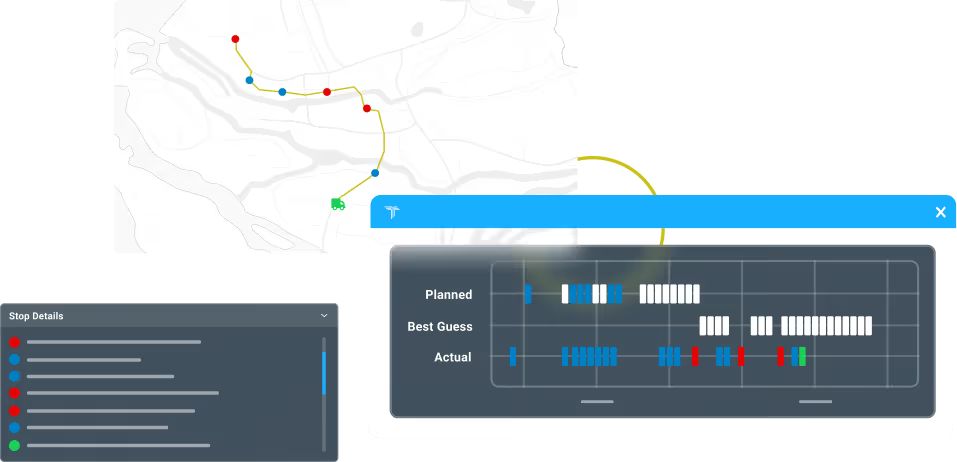
Live Trip Statuses and ETAs
Get planned versus actual views of your trips with live, predictive ETAs and alerts for unplanned stops and other deviations.
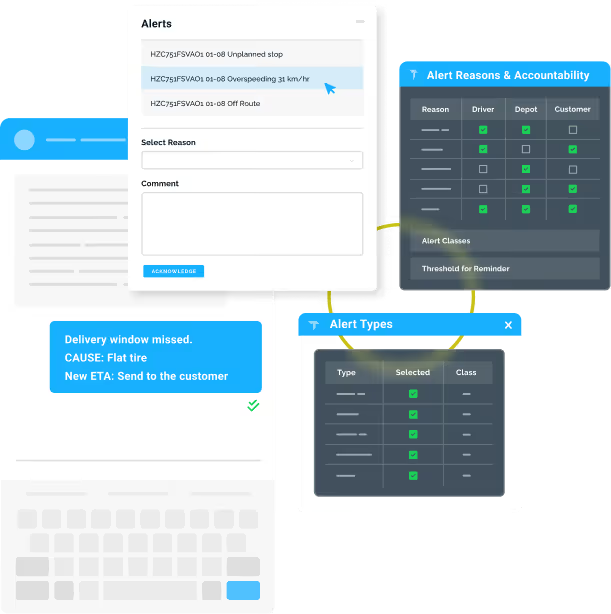
Exception Management, Alerting, and Customer Communication
Configure your escalation protocols and alerts to receive via email, WhatsApp, SMS, or on your dashboard while keeping customers in the loop on delays and ETAs.
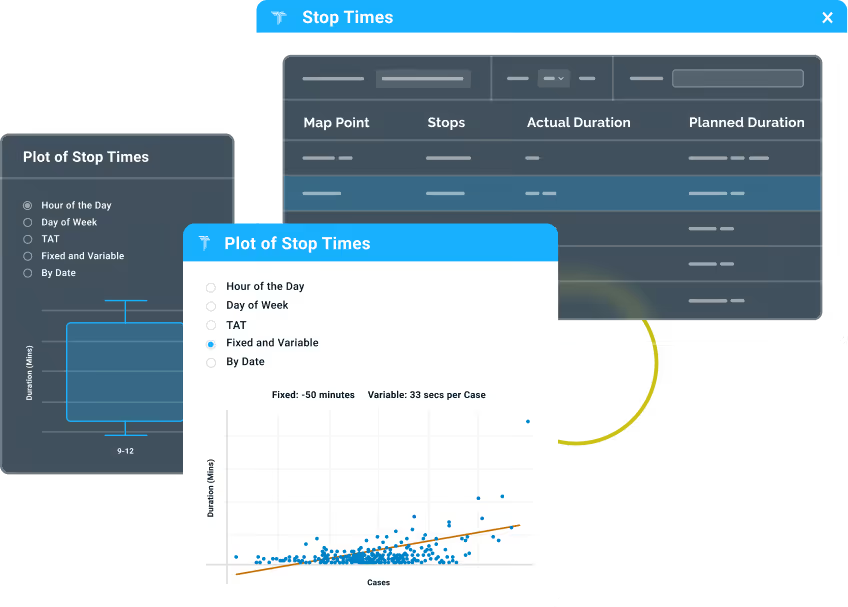
Learning and Insights
Tap into deep learning with analytics on stop/dwell times, turnaround times, travel times per leg, fixed versus variable times, and more.
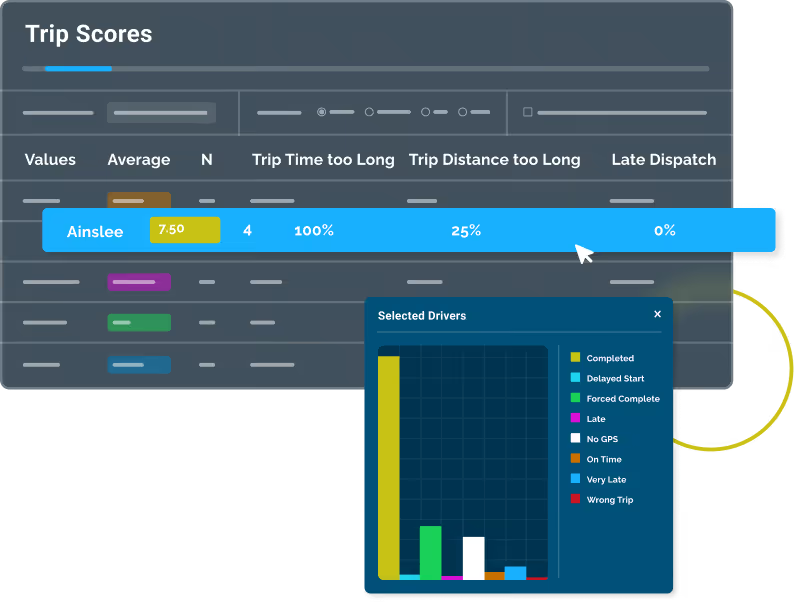
Performance Management
Customize your Trip Scoring and monitor the performances of drivers, expeditors, customers, and your overall fleet set against your KPIs.

Yard Management
Reduce yard congestion by optimizing movements of vehicles in the yard through comprehensive yard visibility and management.
Executive Dashboards
Whether executives, planners, or customers, give your users insights on the metrics they care most about through customizable dashboards.
Live Trip Statuses and ETAs
Get planned versus actual views of your trips with live, predictive ETAs and alerts for unplanned stops and other deviations.
Exception Management, Alerting, and Customer Communication
Configure your escalation protocols and alerts to receive via email, WhatsApp, SMS, or on your dashboard while keeping customers in the loop on delays and ETAs.
Learning and Insights
Tap into deep learning with analytics on stop/dwell times, turnaround times, travel times per leg, fixed versus variable times, and more.
Performance Management
Customize your Trip Scoring and monitor the performances of drivers, expeditors, customers, and your overall fleet set against your KPIs.
Yard Management
Reduce yard congestion by optimizing movements of vehicles in the yard through comprehensive yard visibility and management.
Improved Visibility, Performance, and Compliance
Understand in real-time how trips are progressing relative to the plan and see live views of the current operational tempo. Increase team and customer performance with sophisticated scoring against your KPIs and ensure legal compliance with debriefing measures and the logging of hours.

Better Customer Service
Ensure better communication and better performance for your customers, providing them with live status and ETA updates, combined with learned insights into turnaround times, delivery cycles, and waiting periods.

Save Time and Money
Save both time and money with the tools for continually better planning and vehicle and resource utilization. Understand planned versus actual data on dwell times, travel times, and turnaround times, and increase asset and resource utilization by tracking vehicle hours, mileage per trip, and overtime costs.
Increase Performance with Tools that Keep You in Control
Control every detail of your logistics operations without sacrificing efficiency. That’s the synergistic power of Tramm.
Automate your orders according to custom configurations and give your customers their own portal to manage orders.
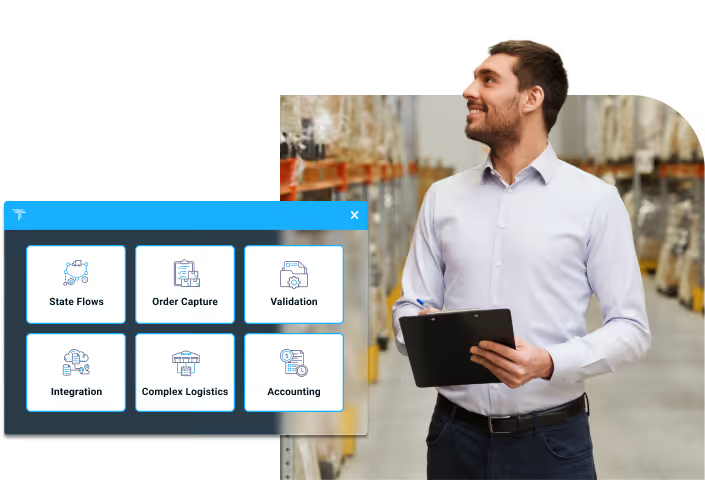
Visualize and plan optimized routes for transportation in different environments–multi-modal, cross-docks, primary and secondary distribution–while easily making real-time adjustments in a dynamic environment.

Manage the entire trip lifecycle, including internal and external transporters, tendering, tariffs, rates, documentation, and invoicing.

Stay in control with planned versus actual execution management, real-time ETAs and tracking, communication, customizable alerts, and performance analytics.
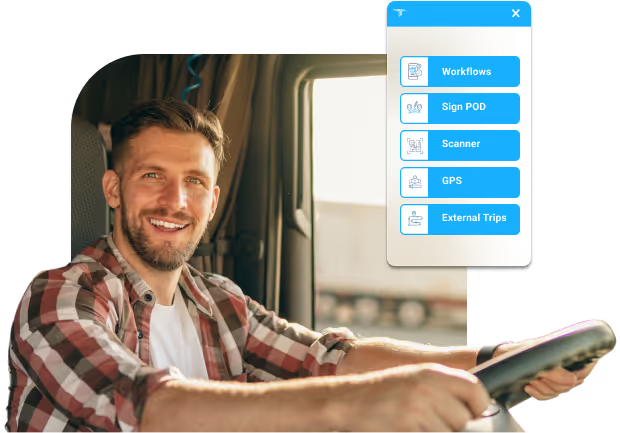
Give drivers on-the-go capabilities, from communication and ePOD submission to creating and performing custom workflows.
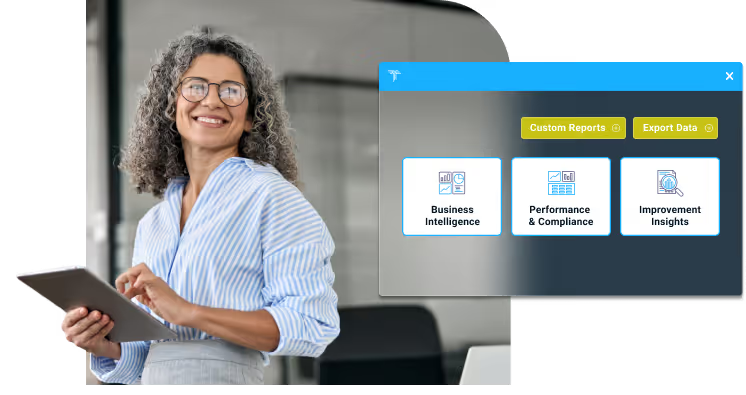
Get at-a-glance insights with comprehensive, customisable dashboards, reports, and performance analytics backed by real-time data.
Automate your orders according to custom configurations and give your customers their own portal to manage orders.
Visualize and plan optimized routes for transportation in different environments–multi-modal, cross-docks, primary and secondary distribution–while easily making real-time adjustments in a dynamic environment.
Manage the entire trip lifecycle, including internal and external transporters, tendering, tariffs, rates, documentation, and invoicing.
Stay in control with planned versus actual execution management, real-time ETAs and tracking, communication, customizable alerts, and performance analytics.
Give drivers on-the-go capabilities, from communication and ePOD submission to creating and performing custom workflows.
Get at-a-glance insights with comprehensive, customisable dashboards, reports, and performance analytics backed by real-time data.
Frequently Asked Questions
FleetVision
What is FleetVision?
FleetVision is the execution and monitoring layer of Tramm, Operations Software's unified Transport Management System. It gives dispatchers, operations managers, and executives a single live view of every vehicle, trip, and alert — bridging the gap between the plan and what is actually happening on the road. It combines real-time GPS tracking, trip compliance, driver communication, alerting, and analytics in one dashboard.
Who is FleetVision built for?
FleetVision is designed for logistics operators who need to stay in control of a live fleet — from dispatchers and gate controllers to yard managers, operations managers, and executives. Each role gets a purpose-built view, from the live command-centre Overview to depot turnaround boards and executive performance dashboards. Role-based access ensures each user sees exactly what is relevant to their job.
How does FleetVision fit into the wider Tramm platform?
FleetVision is one module on Tramm's single unified platform, sitting alongside Order Management, Planning & Optimisation (powered by Chora), Transact, the Driver App, and Dashboards. It serves the 'planned versus actual' execution layer — taking the plans produced upstream and monitoring how they play out in real time. Because Tramm runs on one live entity model, data flows between modules without separate integrations or duplicate data entry.
What can I see on the FleetVision live Overview dashboard?
The Overview is a command centre showing live vehicle positions on an interactive map, with every vehicle's status — moving, standing, or stopped — at a glance. You get an immediate alert count by severity and can drill down from the fleet-wide view to an individual trip. Vehicle icons are configurable by type or status so the map stays readable at scale.
How does FleetVision handle trip compliance?
FleetVision monitors every trip against its planned route and schedule, instantly flagging deviations, late starts, and missed stops. It compares planned versus actual routes, performs stop-level timing analysis, and calculates live ETAs with current traffic. The Tempo module turns this into a live scorecard of on-time starts, stop-completion rates, and alert density measured against your targets.
What alerting and exception management does FleetVision provide?
FleetVision surfaces the alerts that matter in the order they matter, with configurable types and thresholds for lateness, route deviations, geofence breaches, unplanned stops, and driving behaviour. Dispatchers can acknowledge an alert in one click, assign a reason code, and escalate it — all without leaving the dashboard. Escalations route via WhatsApp, email, or SMS, and every action is captured in a full audit trail.
Can I communicate with drivers directly from FleetVision?
Yes. Operators can message drivers individually or in groups over WhatsApp straight from the dashboard, share trip allocations via mobile links, and request a driver's live location. The full conversation history is retained against the trip, so there is a clear record of what was communicated and when.
Does FleetVision include AI and analytics?
FleetVision has a built-in AI assistant that lets operators query live fleet data in plain English — no SQL or report builder required. You can ask things like which drivers had the most late arrivals last week, or which trips had more than three alerts this month, and get instant answers with conversational follow-ups. For deeper analysis, comprehensive historical reports across trips, stops, alerts, and driver performance are exportable to Excel on demand.
Where does FleetVision get its vehicle data?
FleetVision continuously pulls GPS, trip, and stop data from a connected GPS source, then processes it and pushes the results into a shared live state layer that drives the dashboard. This means tracking works with your existing telematics feed rather than requiring a specific proprietary device. A GPS source is required to make meaningful use of the system.
What does FleetVision's geofence and zone management let me do?
You can create location-based rules with precision by drawing geofences directly on a map or importing them in bulk. Zones can be time-activated, and the system includes near-miss detection and correction so boundary events are captured accurately. Geofence breaches feed straight into the alerting engine.
How does FleetVision allocate vehicles and drivers to trips?
FleetVision supports manual allocation, bulk allocation via CSV, and an auto-allocate engine that does the matching for you. It manages vehicle availability and supports yard-based allocation workflows. Fleet utilisation views, including vehicle Gantt charts and fleet-by-day analytics, help you spot idle assets and plan capacity.
Does FleetVision need special in-vehicle hardware or cameras?
No proprietary hardware is mandated by FleetVision itself. The system relies on a GPS data source (on-board GPS or mobile app) for vehicle positions, so it works with your existing telematics rather than requiring a specific device or camera. Driver interaction happens over WhatsApp and mobile trip links, so drivers do not need dedicated terminals.
How do users sign in to FleetVision, and is single sign-on supported?
FleetVision supports single sign-on. In a Tramm integration it can authenticate against the Tramm authentication service, or you can use Azure Active Directory / Entra SSO by configuring FleetVision as a registered application. This lets you manage access centrally using your existing identity provider.
How does FleetVision relate to Chora and Tramm's optimisation?
FleetVision monitors the execution of plans that Tramm's Planning & Optimisation module produces, powered by Chora. Chora solves highly constrained transport-planning problems in seconds and can re-optimise dynamically when conditions change — and FleetVision is where you see those plans unfold against reality, feeding exceptions back so the operation can respond.
Can I import existing data into FleetVision and control who sees what?
Yes. FleetVision supports bulk import of sites, trips, drivers, zones, and GPS unit mappings via structured templates, which minimises manual data entry during onboarding. Granular, role-based access control lets you create custom roles for dispatchers, supervisors, customers, and hauliers down to the tab and feature level, and an extensive audit log captures system actions across more than a dozen log types.
What business outcomes does FleetVision deliver?
FleetVision lets operations teams stay in control by replacing guesswork with real-time visibility and data-driven alerts. By catching deviations, late starts, and breaches as they happen, teams can act on exceptions fast, improve on-time performance and stop compliance, and hold drivers and subcontractors accountable with objective performance scoring. Better asset utilisation and automated allocation also help you do more with the fleet you already have.
Is FleetVision suitable for multi-region and subcontractor operations?
Yes. The Region Overview provides multi-region fleet distribution, trip tracking, and alert aggregation, including subcontractor views for haulier management. Combined with role-based access, this makes it practical to oversee a distributed operation and give partners the right level of visibility without exposing everything.
How do I see FleetVision running on my own data?
The team can walk you through a personalised demo tailored to your operation, running on your data so you can see the value in context. To arrange a demo, contact info@tramm.global.
Alerts & Exception Management
What is Tramm Alerts?
Tramm Alerts is a configurable alerting capability that monitors every vehicle and trip continuously, detects the moment something goes wrong, and routes a precise notification to the right people through the right channels. It builds directly on Tramm's live state engine, so alerts are generated from the same real-time trip, stop, and GPS data that drives the rest of the platform. The result is proactive operational awareness rather than after-the-fact reporting.
Why does proactive alerting matter for a transport operation?
Most costly transport failures — a late delivery, a cold chain breach, a vehicle off route — are preventable if the right person knows in time to act. Tramm Alerts closes that gap by pushing exceptions to people automatically instead of waiting for someone to notice a problem on a screen. Because alerts escalate until they are acknowledged, nothing quietly slips through unattended.
How is Tramm Alerts different from a standard dashboard or report?
A dashboard waits for someone to look at it; Tramm Alerts comes to you. The system watches live data around the clock and dispatches a notification the instant a threshold is breached, then follows up and escalates if no one responds. Dashboards and reports are still available for review and analysis, but the alerting layer ensures the critical moments are surfaced actively and in real time.
What kinds of conditions can Tramm alert on?
Tramm monitors a broad set of distinct conditions across five categories: route and navigation (off route, no-go zone entry, unscheduled stops), timing and scheduling (late dispatch, late for plan, late for delivery window, excessive dwell time), GPS and vehicle status (no GPS signal, overspeeding, moving without an allocated trip), driver and compliance (driving too long without rest, proof of delivery captured outside a geofence, failed quality checks), and operational and yard conditions (temperature limits, fuel consumption, time spent in yard zones). Each alert type can be individually enabled, disabled, or tuned to your operation.
What channels can Tramm Alerts be delivered through?
Alerts can be delivered via WhatsApp, email, and SMS, as well as shown in the Tramm dashboard. WhatsApp messages are interactive, arriving with a one-tap acknowledge button and in-message reason selection so field staff can respond from their phone without logging in. Email delivers full alert detail with a click-to-acknowledge link, and SMS gives a concise summary that reaches people even without smartphone data.
How does escalation work in Tramm Alerts?
Every alert type is assigned to a class that defines a sequence of escalation levels. If an alert is not acknowledged within the configured timeout, it automatically escalates — to more people, through additional channels, at the intervals you set — and each escalation message notes how long the alert has been outstanding. As soon as anyone acknowledges, all further escalation stops. There is no fixed limit on the number of escalation levels you can define.
What are alert classes in Tramm, and why do they matter?
Alert classes group alert types by urgency so the response is proportional to the risk. Higher-priority classes escalate fastest and to the broadest group — suitable for safety-critical events such as no GPS, no-go zone breaches, overspeeding, temperature, and driving too long — while lower-priority classes use longer windows for informational conditions. Assigning each alert type to a class lets you manage escalation behaviour consistently across the whole operation.
Can a single Tramm alert type escalate in stages as a situation worsens?
Yes. The Late for Plan alert supports multiple severity levels, each with its own time threshold, class, and escalation path — for example a Caution level, then a Warning level, then a Critical level. As a trip grows progressively later it moves through each level automatically, so early warnings reach controllers while the most severe breach triggers the fastest, broadest escalation. This graduated response keeps early signals from getting lost alongside critical ones.
What triggers a Tramm alert?
Tramm continuously analyses live GPS, trip, and stop data against your configured thresholds and rules. When a threshold is breached or a defined condition is met, an alert is generated automatically with a unique ID, timestamp, and the full context — vehicle, driver, trip, stop, and location. Because this runs on Tramm's live state engine, detection happens as events occur rather than on a batch schedule.
What lifecycle does a Tramm alert follow?
Each alert moves through a consistent lifecycle: detection, classification into a class, immediate notification to the configured recipients, ongoing monitoring with an escalation timer, escalation if unacknowledged, acknowledgement with a reason and optional comment, and finally a permanently stored resolution record. Every step is tracked, so you always know what happened, who was notified, who responded, and how quickly.
How do people acknowledge and close out a Tramm alert?
Alerts can be acknowledged from the dashboard, via a link in an email, or with a single tap in WhatsApp. Each acknowledgement captures a reason code from a configurable list, an optional free-text comment, and the user and timestamp — creating a full audit trail. Users can optionally update the reason or comment later if more information comes to light after the initial response.
How much of Tramm Alerts can we configure ourselves, and does it require developers?
The entire alerting system is configured through the dashboard with no technical changes required. You manage alert types, class and escalation rules, recipients, acknowledgement reason codes, and notification channels from dedicated configuration panels, and changes take effect immediately. This puts day-to-day control of sensitivity and routing in the hands of your operations team.
Can Tramm alert thresholds differ across parts of our business?
Yes. Thresholds such as late and very-late timing, late dispatch, speed and overspeeding, off-route distance, stop dwell time, continuous drive time, last-leg duration, and temperature limits are configurable per operational domain. This means different product types, vehicle classes, or customer SLAs can each run at the sensitivity that suits them within the same Tramm instance. One operation does not have to compromise on the settings of another.
How does Tramm Alerts choose recipients so people only get relevant alerts?
Each recipient is defined with a role, contact details, and one or more operational domains they cover. Alerts are only sent to recipients whose domain matches the affected vehicle, which prevents irrelevant notifications spreading across the operation. Combined with per-level channel settings, this ensures the right person is reached through the right channel for the right urgency.
Does Tramm Alerts avoid flooding people with repetitive alerts?
Yes. Overspeed events occurring within a short window are grouped into a single alert that shows the maximum speed and total event count, rather than one alert per reading. For conditions such as unscheduled stops, Tramm updates the existing alert with new information instead of creating duplicates. This intelligent grouping and deduplication keeps the alert list clean and manageable even on long, event-heavy trips.
How does Alerts fit with the rest of Tramm?
Alerts is not a bolt-on; it runs on the same unified platform and single live entity model as the rest of Tramm. The same real-time trip, stop, and GPS data that powers planning and execution also feeds the alert engine, and alerts appear in context throughout the product — on the live trip map, inside each trip view, in the central alerts management view, and in the post-trip debrief. This shared foundation means alerts are always tied to real operational records, not a separate data silo.
Can Tramm alerts be acted on from the field, not just the control room?
Yes. Because WhatsApp and SMS are first-class channels, drivers, depot staff, and managers can receive and respond to alerts from their phones with no app login required. Acknowledgement reason lists can be restricted by role, so each group sees only the options relevant to them. This keeps field teams and office teams working from the same alert record.
How does Tramm Alerts control visibility and reports across different users?
Access is filtered automatically based on the logged-in user's role. Customers see only alerts related to their own deliveries, hauliers see only their own fleet data, and administrators see the full picture. The same role-based filtering applies to the alert reports, so every user gets a relevant, appropriately scoped view.
What operational outcomes does Tramm Alerts drive?
By surfacing exceptions the moment they occur and escalating until they are handled, Tramm Alerts helps teams intervene earlier — rerouting around delays, protecting cold chain loads, and responding to safety events before they escalate. Proactive notification reduces the number of issues that reach the customer and shortens the time to respond to the ones that do. The net effect is tighter SLA performance and fewer costly surprises.
How does alerting support compliance, coaching, and continuous improvement?
Every alert and acknowledgement is stored in full detail and available through downloadable history and summary reports, giving you a defensible record of what happened and how it was handled. Driver-level analytics show alert volumes per trip and per 1,000 km, supporting fair comparison and targeted coaching conversations. Captured reason codes build a picture of recurring causes over time, so you can fix root problems rather than repeatedly firefighting symptoms.
How does Tramm handle emergencies such as a driver panic alert?
When a driver activates the panic button on their GPS device, a panic alert is created immediately with the vehicle's last known location and an automatically looked-up address. Panic alerts are tracked separately, record which team members have viewed them, and require manual review and response — designed to support emergency response workflows. This ensures the most urgent situations get dedicated, auditable attention.
How do we get started with Tramm Alerts?
The best starting point is a demo tailored to your operation, where we can walk through the alert types, channels, and escalation rules that matter most to you. We will show how alerts surface in context across the platform and how your team would configure and act on them day to day. Reach out to arrange a session and discuss your specific requirements.
Who do we contact to arrange a Tramm Alerts demo or ask questions?
Contact the Tramm team at info@tramm.global to book a demonstration or discuss how Tramm Alerts fits your operation. We can tailor the walkthrough to your fleet, your SLAs, and the channels your teams already use. Bring your toughest exception scenarios and we will show how Tramm would handle them.
WhatsApp Integration
What is the Tramm WhatsApp integration?
The Tramm WhatsApp integration connects your transport operation directly to WhatsApp, so the right message reaches the right person at the right moment throughout every trip. Fleet managers, drivers, yard controllers, and customers all stay informed through the messaging app they already use every day. Notifications are triggered automatically by real trip events, and recipients can reply, acknowledge, and query status straight from the chat.
Who does the Tramm WhatsApp integration serve — drivers, customers, or internal teams?
All of them. Tramm supports six contact roles: Management, Controller, Customer, Driver, Yard, and Third Party Driver. Each role is linked to one or more operational domains, which determines exactly which messages a contact receives and which commands they can use. Customers get ETA and delivery updates, drivers get allocations and stop details, yard staff get call-offs, and management gets operational summaries.
Why does Tramm use WhatsApp instead of SMS, email, or a separate app?
WhatsApp is already installed on billions of phones, so there is nothing for drivers or customers to download, install, or log into. Messages are rich and interactive — they can include navigation links, map snapshots, documents, and tap-to-respond buttons. That means higher engagement and faster responses than SMS or email, with no new app for your customers to adopt.
Is the Tramm WhatsApp integration built on the official WhatsApp Business API?
Yes. The integration runs through the official WhatsApp Business API from Meta, delivered via a secure message gateway. This means messages come from a verified business number, use approved message templates, and follow WhatsApp's consent and delivery rules. It is the compliant, enterprise-grade path rather than an unofficial workaround.
What automated WhatsApp notifications can customers receive from Tramm?
Customers can receive a complete delivery journey: an ETA (or an 'out for delivery' note) when the vehicle leaves the depot, a delay alert if the ETA shifts by more than 60 minutes, a 30-minute arrival warning, an arrival confirmation, and a departure notice. Each step is sent only once, so customers are never spammed with duplicate messages. ETA messages can optionally include a live map snapshot showing the vehicle's position relative to the delivery stop.
What do drivers receive through Tramm's WhatsApp integration?
When a trip is allocated, drivers receive the trip name, scheduled start and finish times, vehicle registration, and total stop count. Each stop is then sent individually with the site name, address, time window, and a navigation link. Drivers can also get a summary of all trips allocated to them for the day, and download links for the Tramm Mobile app if they do not already have it.
How does the Tramm WhatsApp integration handle fleet alerts?
Alerts such as overspeed, off-route deviation, geofence breach, or panic button are routed by role and domain to the correct recipients the moment they occur. Each alert arrives as an interactive message with a tap-to-acknowledge button, and recipients can add a reason code and comment. If an alert is not acknowledged within a configured time window, it automatically escalates — so nothing is silently ignored.
What are WhatsApp yard call-offs in Tramm?
Call-offs notify drivers of their assigned dock bay and slot time via WhatsApp, fully integrated with Tramm's yard management module. There are three message variants: a full call-off with a Tramm Mobile deep link and dock timing, a dock-information-only version, and a basic notification for when a bay has not yet been allocated. Every call-off is tracked through statuses — Sent, Acknowledged, Superseded, or Cancelled — so the yard team always knows where each driver stands.
Can teams run group conversations through Tramm's WhatsApp integration?
Yes. Tramm manages virtual WhatsApp groups, each with a unique reference code (for example #DEPOT1). Members prefix a message with the code and it is relayed individually to every other participant with the sender's name attached. All group messages are logged and searchable in the dashboard, and conversations can be filtered by trip to review everything related to a specific delivery run.
What are WhatsApp shortcut codes in Tramm?
Any contact can text a simple keyword to Tramm's WhatsApp number and get an instant, role-appropriate reply — no app or login required. Codes include HELP, TEMPO, TRIP, STOPS, TRIPS, ETA, GROUPS, INSTRUCTIONS, and OPT OUT. For example, a customer can text ETA to check all their scheduled deliveries, while a driver can text TRIPS to see everything allocated to them that day.
What triggers Tramm's automated WhatsApp messages?
A background service continuously monitors live trip, stop, and GPS data and dispatches each message at exactly the right moment. For example, a trip allocation goes out one hour before the scheduled start, an ETA fires when the vehicle departs the depot, and an arrival message sends when the vehicle reaches the stop. There are nine automation modes in total, and each can be switched on or off independently — even differently per operational domain.
How does two-way WhatsApp messaging work in Tramm?
A real-time message listener receives replies, shortcut commands, alert acknowledgements, and call-off confirmations, typically processing them within seconds. Interactive alerts and call-offs use WhatsApp's built-in button features, so recipients respond with a single tap instead of typing. Fleet managers can also send and monitor conversations manually from the dashboard, including a dual side-by-side view.
Does the Tramm WhatsApp integration use message templates?
Yes. Opt-in requests, notifications, and other outbound messages use approved WhatsApp templates, which is what allows a business to initiate a conversation under WhatsApp's rules. Managers can also send freeform text and attachments within an open conversation window. If more than 24 hours have passed since the last interaction, Tramm automatically re-opens the conversation before sending.
How does Tramm make sure messages are not duplicated or lost?
The system tracks exactly which notifications have already been sent for each trip and stop, so a contact never receives the same message twice even if the automation engine runs repeatedly. If a notification is triggered before a contact has confirmed opt-in, it is safely held in a queue for up to seven days and dispatched automatically once consent is given. Nothing slips through the cracks and nothing is sent twice.
How is WhatsApp opt-in and consent handled in Tramm?
WhatsApp Business requires contacts to explicitly opt in before receiving automated messages, and Tramm manages the entire consent lifecycle. When a contact is added their status starts as pending, an opt-in template is sent automatically, and once they tap to confirm their status updates and any queued messages are released. Contacts can reply OPT OUT at any time to stop all automated messaging immediately, with their status updated on the spot.
Does the WhatsApp integration fit with the rest of Tramm?
Yes — WhatsApp is not a bolt-on but a native part of Tramm's unified platform, running off the same live trip, stop, GPS, and alert data that powers the rest of the system. Customer contacts can be linked to delivery sites so the right person is notified automatically whenever a trip visits that location, and call-offs tie directly into yard management. It also connects to HERE Maps for route snapshots and to the Tramm Mobile driver app via deep links.
How is access to the Tramm WhatsApp integration controlled, and who can use it?
All WhatsApp features require the Communications permission, and the contact management tabs additionally require the User Admin permission, so only the right people can message customers or edit contacts. Every outbound message is routed by role and operational domain, meaning teams only see and send what is relevant to their part of the operation. This keeps communication secure, auditable, and properly scoped.
What languages does the Tramm WhatsApp integration support?
WhatsApp message templates support a wide range of languages, so notifications can be presented in the language your drivers and customers prefer. We are happy to walk through your specific language and regional requirements as part of a tailored demo.
What business outcomes can we expect from the Tramm WhatsApp integration?
Proactive delivery updates reduce inbound 'where is my order' calls and improve the customer experience, while automated driver allocations and call-offs cut manual dispatch work. Interactive alerts with escalation ensure safety and exception events are acted on quickly, and twice-daily tempo statistics give management on-time and completion metrics at a glance. The net effect is fewer phone calls, faster responses, and a clearer real-time picture of the whole operation.
What does the Tramm WhatsApp integration cost?
WhatsApp Business API messaging is priced by Meta on a conversation basis, and the Tramm integration is licensed as part of your Tramm platform. Because the right model depends on your message volumes, roles, and domains, we will put together pricing tailored to your operation. Reach out and we will walk you through the options.
How do we get started with the Tramm WhatsApp integration or see a demo?
The best next step is a live demo mapped to your own delivery flows, contact roles, and notification needs. Contact the Tramm team at info@tramm.global to arrange a walkthrough and discuss how the WhatsApp integration fits your operation. We will show the automated journeys, interactive alerts, and dashboard in action.